3D figurine prompt recipes

GTA 6 Style 3D Figure Prompts

A GTA 6-style figure prompt asks an image AI for a collectible figurine on a plain backdrop. A clean image is what a 3D tool needs next, so these prompts aim for a centred figure on a flat background.

Chibi figure on a sunset base
Prompt 1

Chibi figure on a sunset base

Copy and paste
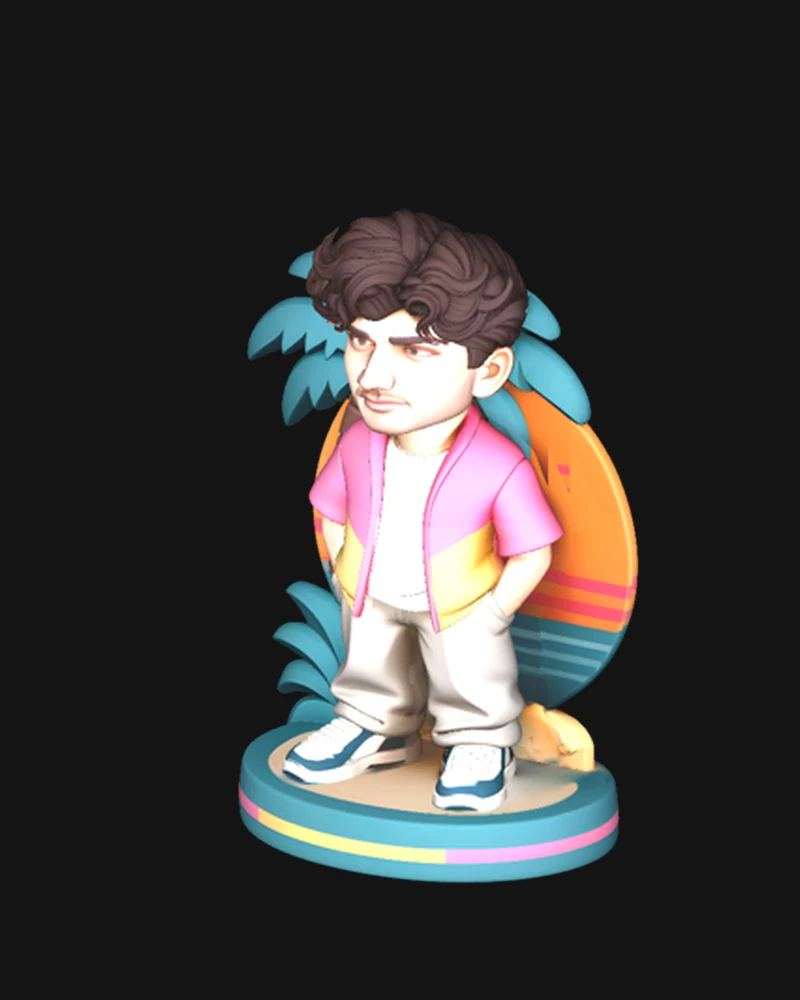
Turn the person in the attached photo into a collectible chibi vinyl figurine with an oversized head that keeps their face and exact hairstyle, hands in pockets, standing on a round teal base with sand, a striped sunset disc and two palm trees behind. Matte satin finish, plain light-grey background, centred full figure.
Heist corkboard figure
Prompt 2

Heist corkboard figure

Copy and paste
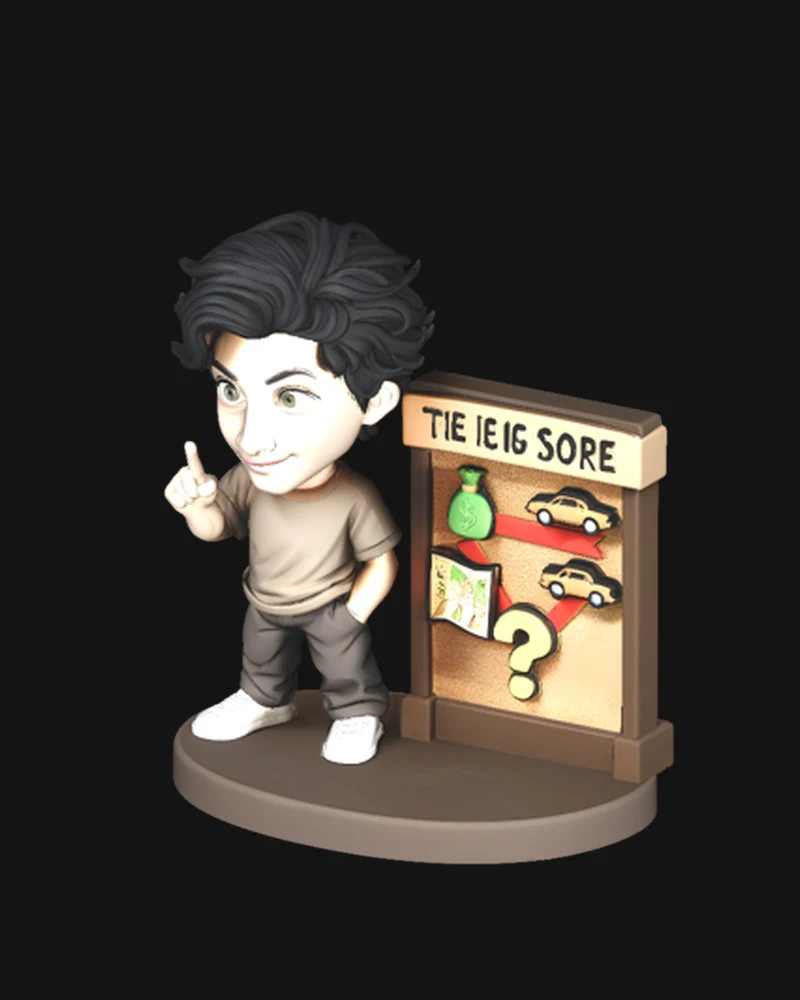
Make a chibi figurine of the person in the attached photo, raised index finger, standing on an oval wooden base beside a corkboard with a cash bag, a small sports car, a folded map and a question mark. Keep their face and hair. Plain light-grey background.
Two-person resin statue
Prompt 3

Two-person resin statue

Copy and paste
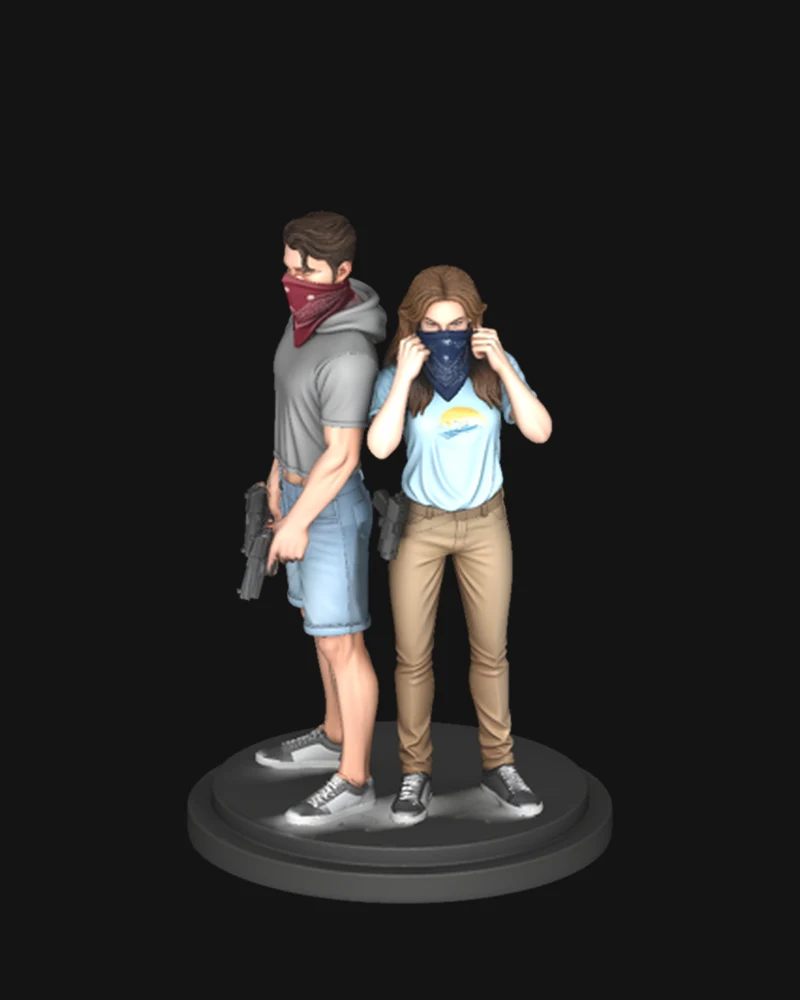
Combine the two people in the attached photos into one 1/10 scale resin statue: front-left person holding a toy pistol at the hip, back-right person pulling a bandana up over the nose. Keep each person's eyes, forehead and exact hairstyle. Black round base, plain grey background.
Briefcase runner statue
Prompt 4

Briefcase runner statue

Copy and paste
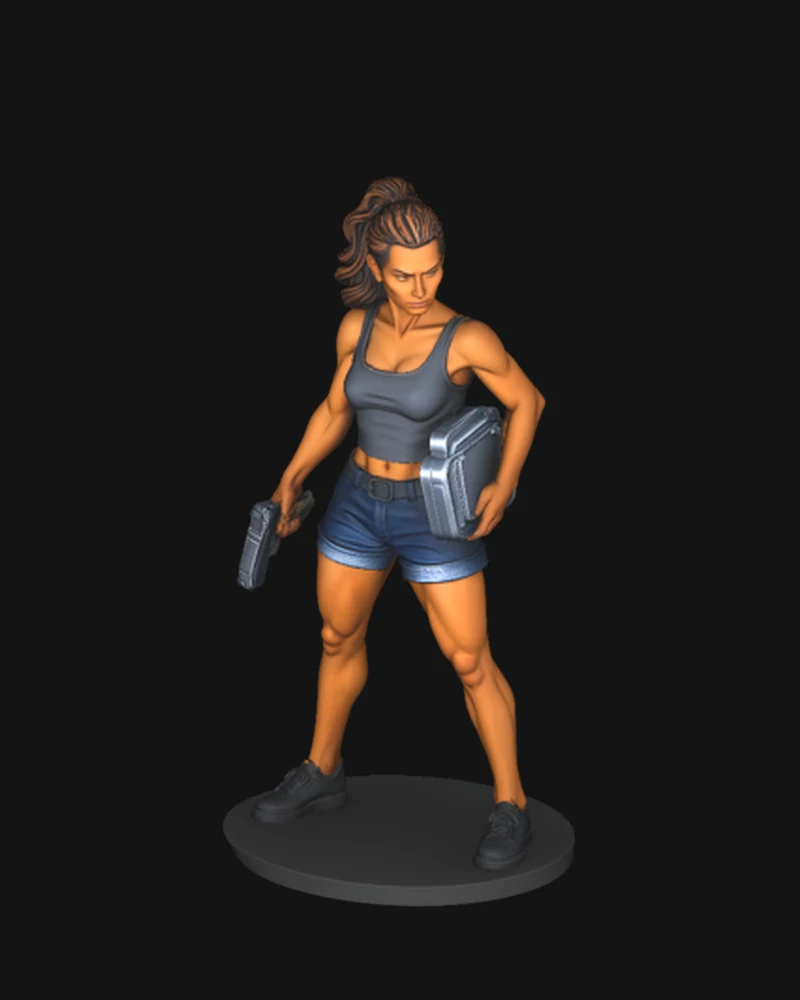
Make a 1/10 scale realistic resin statue of the person in the attached photo mid-stride, hugging a silver ribbed briefcase on the left, a toy pistol held against the right thigh, tank top and shorts. Keep their exact face and hair. Matte black round base.
Prompt 5

Print-friendly pose

Copy and paste
Make the figure sturdy for 3D printing: thick limbs, no thin floating parts, props fused to the body or the base, feet planted on a flat base.
Prompt 6

Clean backdrop for 3D

Copy and paste
Use a completely flat light-grey studio background with no shadows, no floor line and no extra objects, with soft even lighting.
Prompt 7

Keep my hairstyle

Copy and paste
Preserve my exact hair length, cut, parting and colour as chunky sculpted hair with no thin loose strands.
Prompt 8

Nickname on the base

Copy and paste
On the front rim of the base, raised bold 3D letters in pink, yellow and teal read my nickname. If you are not sure of the spelling, leave the rim blank.

Note: Painted or colored base text shows cleanly in color renders, GLB/OBJ textures, and mobile AR, while single-color STL prints leave a smooth base rim unless letters are physically extruded in a 3D editor.

From image to 3D

How do you turn a figure prompt into a 3D model?

Make the image first, then convert it.

  1. Make the figure image

    Paste a prompt with your photo into ChatGPT or Gemini.

  2. Check it is print-friendly

    Thick parts, a flat base and a plain background.

  3. Convert it to 3D

    Use an image-to-3D tool, or skip the steps and use the 3D figure maker.

Troubleshooting & 3D print prep

What Goes Wrong With 3D Figure Prompts (and How Do You Fix Mesh & Slicer Issues)?

Image-to-3D reconstruction models turn shadows into floating blobs and snap thin fingers during slicing. Fix the 2D concept before converting, and follow the Khronos glTF 2.0 spec and Bambu Lab model repair guide when exporting.

Common 3D figurine prompt failures and verified fixes
ProblemCauseVerified Fix
Shadows or a floor lineImage-to-3D treats drop shadows as solid geometryAsk for a completely flat light-grey studio background with soft even light
Thin floating parts or snapped wristsDelicate limbs or separated props fail FDM nozzlesAsk for thick fused limbs and props; scale final STL to at least 100 mm tall
Wrong hairstyle or flat strandsWispy hair fails manifold mesh reconstructionSpecify 'chunky sculpted hair matching my exact parting and length'
Missing nickname on monochrome STLTexture-painted letters do not protrude on single-color STLsUse full-color GLB/AR for painted text or emboss letters in Blender before slicing

Spec Summary: Flat light-grey studio backgrounds, thick fused limbs, and ≥100 mm print scaling prevent most image-to-3D geometry defects.

FAQ

Frequently Asked Questions About GTA 6-Style 3D Figure Prompts

Do I need to write these prompts if I use gta6model.org?

No. Our 3D figure maker applies tested identity-locked prompts automatically and outputs rotatable 360° previews plus GLB, OBJ, and printable STL files in 2–4 minutes. Use these recipes if you prefer experimenting manually in ChatGPT or Gemini.

Can I 3D print an image made directly from a ChatGPT or Gemini figure prompt?

Not directly—ChatGPT and Gemini output 2D images, not 3D meshes. You must convert the clean studio concept into a watertight STL mesh first, then slice it in Bambu Studio, PrusaSlicer, Cura, or Chitubox at 100 mm+ height.

Why does every 3D figure prompt specify a flat light-grey background?

Image-to-3D engines reconstruct everything visible in the frame. Busy sunset backgrounds, floor lines, or dark drop shadows turn into jagged artifacts attached to the figurine's base.

Which style prints more easily on a home FDM printer: Chibi Vinyl or 1/10 Realistic Statue?

Chibi Vinyl figurines print much more reliably on 0.4 mm FDM nozzles (0.12–0.16 mm layer height) thanks to chunky proportions. 1/10 realistic statues with thin hands or props print best at 100–150 mm on SLA/MSLA resin printers with tree supports.

Will base text show up on a single-color 3D printed STL?

Painted texture text renders clearly in full-color GLB, OBJ, Blender, and mobile AR previews, but single-color STL prints leave a smooth base rim unless the letters are physically embossed in geometry.

Is gta6model.org affiliated with Rockstar Games?

No. gta6model.org is an independent fan-made project not affiliated with, endorsed, or sponsored by Rockstar Games or Take-Two Interactive.
++++

Skip the prompts

Pick a template, upload a photo and download GLB, OBJ and STL. Packs from $9.99.

Create my 3D figure

Written and maintained by GTA6ModelPublished Last updated