Example

AI video generator · fan-made

GTA 6 AI Video Generator: Put Yourself in a GTA 6 Scene

1 photo · 15 s · 16:9 · credit packs · no subscription

Upload one clear selfie and our GTA 6 AI video generator creates a watermark-free 15-second 720p (1280×720) H.264 MP4 multi-shot clip with stereo audio in minutes. Make your own GTA 6 video and put yourself in a GTA 6 scene—zero prompts, zero subscriptions.

Add your photos0 of 1 ready

You

A photo that works: one person · face the camera · good light
GTA 6 Trailer · 15 s · 720p · 16:9 · with sound900 credits

One-time packs from $9.99 · No subscription · Failed renders are refunded · Terms

PREVIEW
EXAMPLE

GTA 6 Trailer

GTA 6-style trailer · 15 s · with sound
YOUR CAST·0 of 1
Your photo0 / 1 ready
You

Front-facing · clear face · good light

gta6model.org is an independent fan-made project. It is not affiliated with, endorsed, or sponsored by Rockstar Games or Take-Two Interactive. Grand Theft Auto and GTA are trademarks of Take-Two Interactive Software, Inc. All generated images, videos and 3D models are original AI fan art based on user photos.

  • 5-shot HD MP4, no watermark
  • Original stereo audio
  • Deleted after 30 days
  • One-time credits, no sub

Subject-referenced synthesis

What Is a GTA 6 AI Video Generator and How Does It Compare to Other Tools?

A GTA 6 AI video generator maps your face from one selfie into a pre-directed neon crime trailer. Instead of looping a blurry five-second swaying poster, gta6model.org renders a 5-shot 15-second 720p (1280×720) H.264 MP4 GTA 6 AI video at 24 fps with stereo audio via MiniMax H3 and FFmpeg mastering.

Most apps only slap static frames onto raw footage, while DIY tools require pricey monthly subscriptions and drift off-face between cuts. Grounded in ConsisID and ID-Animator identity-preserving video research, our pipeline holds your likeness across every cut when you put yourself in a GTA 6 scene.

GTA 6 AI video generator vs other video tools benchmark
ToolOutput & LengthLikeness & CutsPricing ModelBest Fit
gta6model.org GTA 6 AI Video Generator720p HD MP4 (1280×720; optional 1080p), 15-second, 5 cuts + audioMulti-shot lock from 1 selfie; zero promptsOne-time Crew/Legend packs from $24.99; no sub; no watermarkMovie-style clips + shared 3D/filter wallet
gta6filter.org480p vertical, short single shotSingle-shot poster motion onlyOne-time credit packsQuick looping portrait motion
Viggle AIFull-body motion swap MP4Needs separate motion templateWatermarked starter; monthly subscriptionsDance memes & body swaps
Higgsfield AIMulti-model studio clipsStrong realism via higher-tier Soul IDMonthly studio subscriptionsPro creators paying monthly
CapCut / DIY KlingStatic frame or manual editCapCut lacks AI scene synthesisSubscriptions + manual scriptingEditors cutting by hand

Specification summary: Compared with 480p single-shot loops and recurring studio subscriptions, gta6model.org delivers 5-shot 15-second 720p (1280×720) H.264 MP4 clips with original stereo audio on non-expiring credits.

Technical specs

What Video Resolution, Format, and Specs Do You Get from Our GTA 6 AI Video Tool?

Every render from our GTA 6 AI video generator outputs a watermark-free 15-second 720p (1280×720) HD MP4 (H.264, 24 fps) with 44.1 kHz stereo AAC audio in My Creations within two to four minutes.

GTA 6 AI video generator technical specifications
SpecificationStandard SpecNotes
Input1 adult portraitJPG, PNG, WebP ≤ 10 MB; ≥ 320 px minimum (≥ 512×512 px ideal)
Resolution720p HD (1280×720) / optional 1080p16:9 widescreen; ready for TikTok, Reels, Shorts, desktop
Codec & AudioH.264 MP4, 24 fps · 44.1 kHz AACOriginal coastal synth score; zero official tracks
Scene & Speed5-shot 15-second · 2–4 minAsync queue; email arrives on completion
Credit Cost900 cr (720p) / 1,400 cr (1080p)From $7.50 on Legend ($9.37 on Crew)
PrivacyZero watermark · 30-day storagePrivate signed URLs; auto-deleted or wiped anytime

Specification summary: Our GTA 6 AI video generator exports watermark-free 15-second 720p (1280×720) 24 fps H.264 MP4 clips with 44.1 kHz stereo audio in two to four minutes for 900 one-time credits and auto-refunds on failure.

3 steps & photo limits

How Do You Make Your Own GTA 6 Video in 3 Steps (and Which Photos Work Best)?

To make your own GTA 6 video, upload one unobstructed selfie, sign in when ready to render, and download your MP4 in two to four minutes—zero prompting or editing.

  1. Upload One Clear Portrait

    Drop a bright front-facing adult selfie into the GTA 6 AI video generator above—no login needed to upload. Photos from GTA 6 Filter carry over automatically.

  2. Confirm Scene & Render

    Confirm 18+ photo rights and press Generate my GTA 6 AI video. Sign in via Google or email and unlock rendering with one-time credits.

  3. Download MP4 or Share

    MiniMax H3 and FFmpeg finish your GTA 6 AI video in minutes. Save the watermark-free MP4 or copy your share link.

Honest photo limitations

Which Input Photos Hold Face Likeness vs. Break Consistency?

Best input photos vs photos to avoid for GTA 6 AI video generation
Photo ScenarioFitVideo ResultFix
Front or 3/4 selfie, even light, ≥512×512 pxBest FitSharp likeness across all 5 cutsUpload directly
Sunglasses (on eyes or forehead)AvoidHides eyes; can trigger double-glasses artifactsRemove sunglasses completely
90° side profile, heavy shadow, tiny faceAvoidFacial proportions drift on camera turnsUse a brighter, closer front selfie
Groups, minors (<18), or celebritiesNot SupportedBlocked by moderation or wrong face mappedUpload 1 consenting adult (18+) portrait

Specification summary: One clear, front-facing adult portrait (≥512×512 px, zero sunglasses) lets our GTA 6 AI video generator preserve clean likeness across every cut, while groups, minors, and occlusions are unsupported.

Inside the 5-shot sequence

Which Shots Appear When You Put Yourself in a GTA 6 Scene with Our Trailer Template?

When you put yourself in a GTA 6 scene with our Neon Coast Trailer template, our GTA 6 AI video generator directs your likeness through five original cinematic cuts—zero official footage.

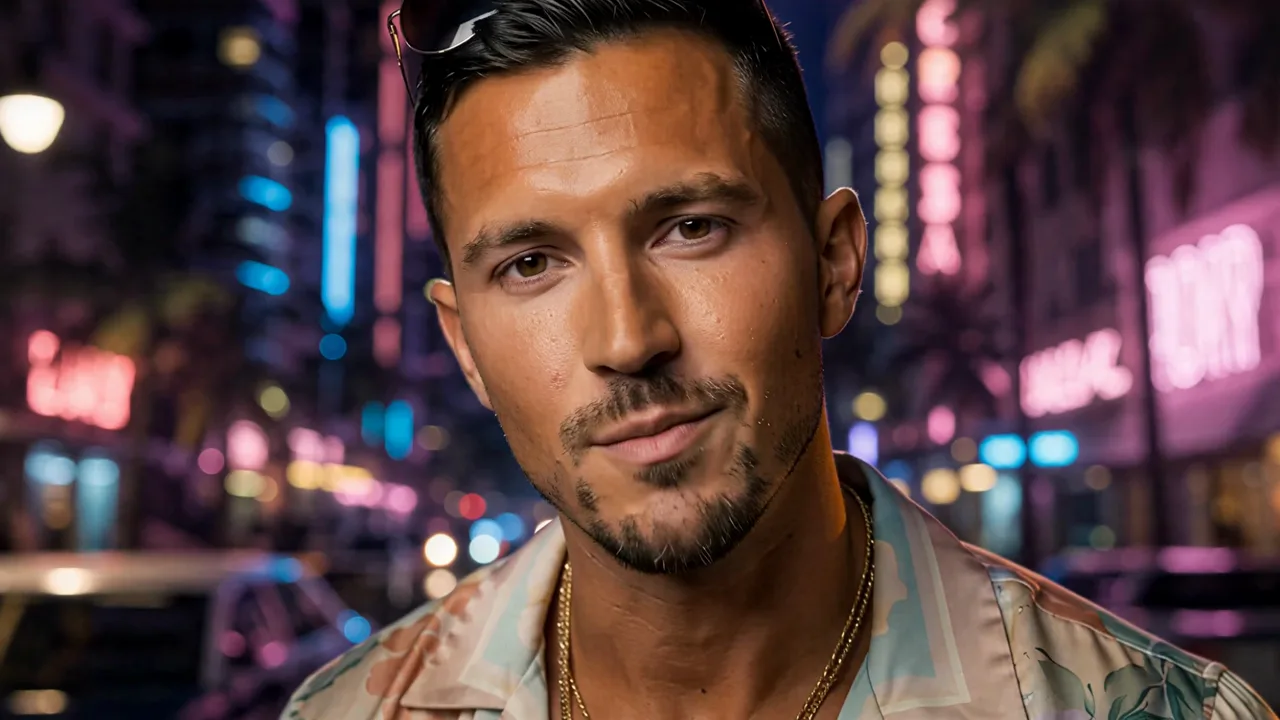
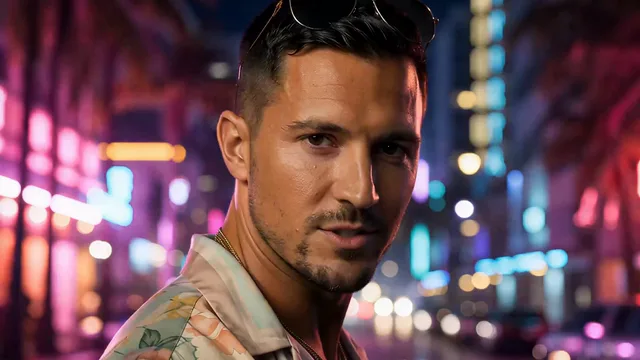
  1. Shot 1 GTA 6 AI video generator neon boulevard close-up portrait0:00–0:03

    Shot 1: Neon Close-Up

    Opens in sharp focus against pink-and-cyan boulevard bokeh for instant recognition.

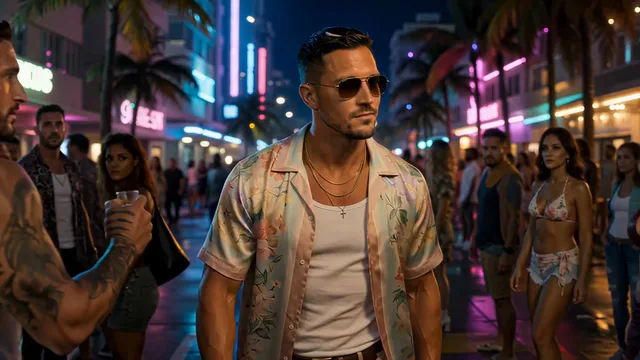
  2. Shot 2 put yourself in a GTA 6 scene neon nightlife strut0:03–0:06

    Shot 2: Midnight Strut

    Slow-motion hero walk down a palm-lined nightlife strip under glowing signs.

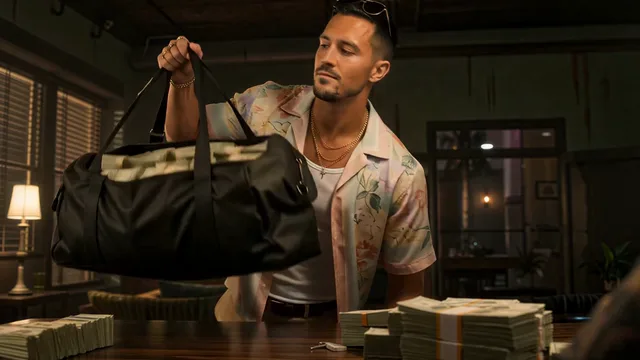
  3. Shot 3 make your own GTA 6 video safehouse cash duffel score0:06–0:09

    Shot 3: Safehouse Score

    Heist hideout cut as you hoist a cash-packed leather duffel onto a wood table.

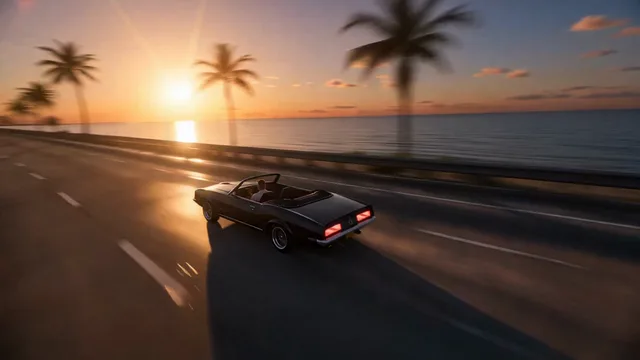
  4. Shot 4 GTA 6 AI video sunset coastal highway convertible0:09–0:12

    Shot 4: Sunset Convertible

    Aerial tracking shot of a black muscle convertible tearing down a palm ocean highway.

  5. Shot 5 GTA 6 AI video generator rainy street alligator cameo0:12–0:15

    Shot 5: Gator Cameo

    Rain-slicked neon street finale with a charging Florida alligator behind you.

All five shots and the stereo track are 100% original fan art created for gta6model.org.

Social export & disclosure

How Can Creators Post a GTA 6 AI Video on TikTok, Reels, and YouTube Shorts Safely?

Post your watermark-free GTA 6 AI video to TikTok, Reels, YouTube Shorts, Twitch, and Discord as original fan art by enabling each platform's AI disclosure toggle and omitting official game logos.

Clips from our GTA 6 AI video generator export as H.264 MP4 with zero re-encoding. Follow the TikTok AI-generated content policy and Rockstar Games' legal fan-content guidelines.

Platform export and AI disclosure specs for GTA 6 AI videos
PlatformBest UseExport TipCompliance Rule
TikTokMain-character hookKeep synth track or layer trending soundToggle "AI-generated content"
Instagram ReelsHD reel revealKeep captions clear of center faceApply AI label when prompted
YouTube ShortsChannel bumper / Short24 fps H.264 edits cleanly in CapCut/PremiereCheck "Altered or synthetic content"
Discord / TwitchStream intro / hype linkShare direct link or loop MP4Fan art only; zero Rockstar logos

Specification summary: Every clip from our GTA 6 AI video generator exports in universal H.264/AAC MP4 for TikTok, Reels, Shorts, and Discord—enable native AI labels and omit official trademarks.

Shared photo & credit wallet

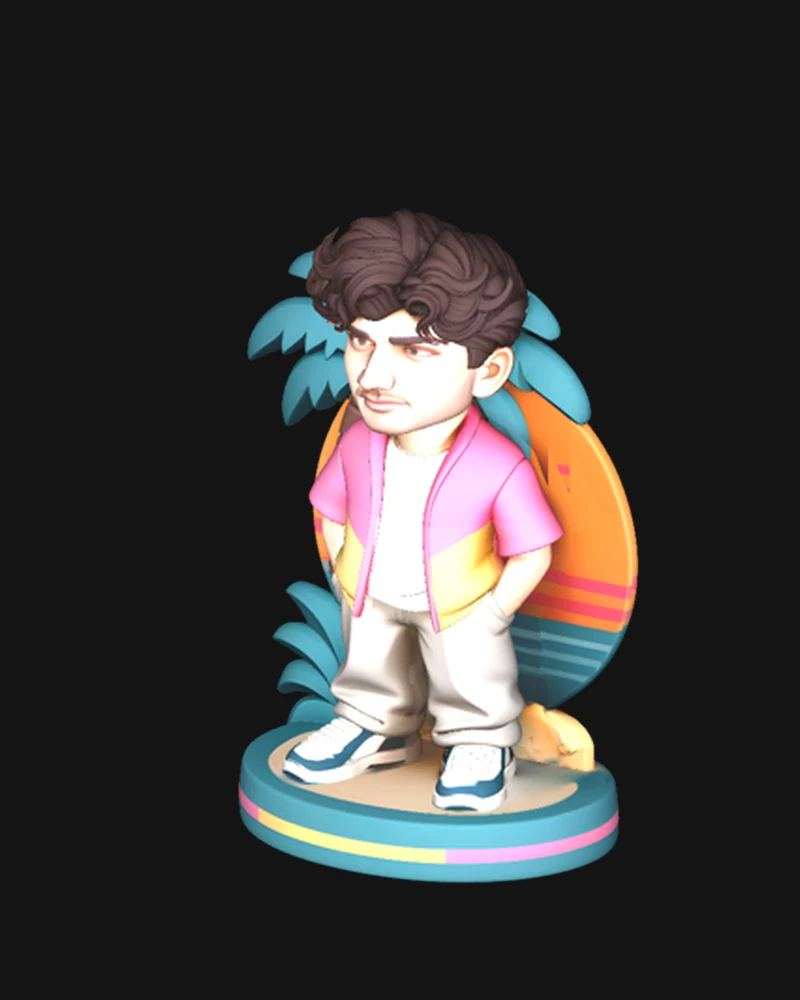
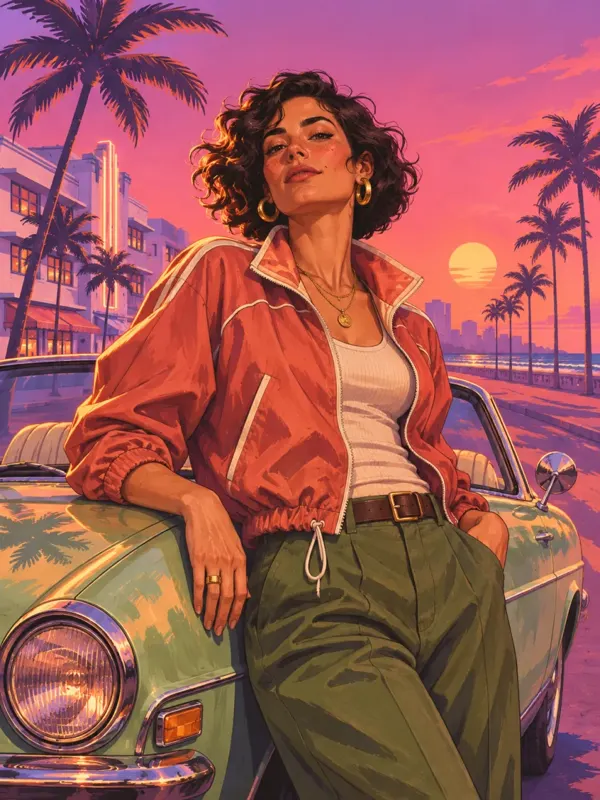
Can You Also Turn the Same Photo into a 3D Figure or 2K GTA 6 Filter Poster?

Yes—one credit wallet powers our entire suite, letting the portrait you upload to our GTA 6 AI video generator also produce a 3D-printable figure or 2K posters with zero extra subscriptions.

One-time pricing

How Much Does the GTA 6 AI Video Generator Cost and How Are Your Photos Protected?

Every render uses one-time Stripe packs with zero subscriptions: each 15-second 720p GTA 6 AI video costs 900 credits (1,400 in 1080p), starting with Crew ($24.99 for 2 videos plus spare credits) and down to $7.50 on Legend.

Starter

$9.99one-time

800 credits · never expire

Makes up to

  • —trailer videosnot enough
  • 13D figure$7.49 each
  • 26GTA 6 photos$0.37 each

One balance for all three tools — mix them any way you like.

  • Two-person figures & 15 s trailers from Crew up
  • HD files: GLB · OBJ · STL, 2K PNG, 1080p video
  • No watermark on any download
  • 1 free regenerate per figure
  • Failed jobs refunded automatically
  • Photos deleted after 30 days
Most popular

Crew

Save 17%

$24.99one-time

2,400 credits · never expire

Makes up to

  • 2trailer videos$9.37 each
  • 43D figures$6.25 each
  • 80GTA 6 photos$0.31 each

One balance for all three tools — mix them any way you like.

  • Two-person figures (up to 2)
  • HD files: GLB · OBJ · STL, 2K PNG, 1080p video
  • No watermark on any download
  • 1 free regenerate per figure
  • Failed jobs refunded automatically
  • Photos deleted after 30 days
Best value

Legend

Save 33%

$49.99one-time

6,000 credits · never expire

Makes up to

  • 6trailer videos$7.50 each
  • 103D figures$5.00 each
  • 200GTA 6 photos$0.25 each

One balance for all three tools — mix them any way you like.

  • Two-person figures (up to 5)
  • HD files: GLB · OBJ · STL, 2K PNG, 1080p video
  • No watermark on any download
  • 1 free regenerate per figure
  • Failed jobs refunded automatically
  • Photos deleted after 30 days

One-time payment · No subscription · Prices + tax where applicable

What each creation costs

3D figure
TypeCreditsFrom
Chibi (Sunset Me, Heist Board Me)600 cr$5.00
Realistic single (Cashbox Runner)800 cr$6.67
Two people (Partners in Crime)1,200 cr$10.00
GTA 6 photo
TypeCreditsFrom
1K30 cr$0.25
2K40 cr$0.33
Trailer video
TypeCreditsFrom
720p (15 s)900 cr$7.50
1080p (15 s)1,400 cr$11.66

Dollar prices are at the Legend rate. Credits never expire, failed jobs auto-refund 100%, unused packs have a 7-day refund (Refund Policy), and photos auto-delete after 30 days (Privacy Policy · Terms).

FAQ

Frequently Asked Questions About Making a GTA 6 AI Video

Is this GTA 6 AI video generator safe, and how long are my photos stored?

Yes—photos and videos stay in private encrypted storage with signed URLs, never train AI, and auto-delete after 30 days (or delete anytime in My Creations).

How is this GTA 6 AI video generator different from Viggle AI or Higgsfield?

Viggle focuses on motion swaps (watermarked starter, monthly subs) and Higgsfield charges monthly studio plans. We need zero prompts or subscriptions—just 1 selfie for a 15-second 5-shot trailer with stereo audio.

Can I post my GTA 6 AI video on TikTok, Reels, or YouTube Shorts?

Yes—download your watermark-free 720p (1280×720) H.264 MP4, toggle the platform's AI disclosure label, and keep official Rockstar logos out.

How much does it cost to make your own GTA 6 video?

One 15-second 720p GTA 6 AI video costs 900 credits (1,400 in 1080p). Video packs start at Crew ($24.99 for 2 videos + spare credits) or Legend ($49.99 for 6 videos—$7.50 each).

What happens if my video render fails?

Credits freeze during rendering and deduct only on delivery. Any upstream failure returns 100% of your credits automatically.

Will the video keep my real face across all 5 shots?

Yes—an evenly lit front selfie (≥512×512 px) with no sunglasses preserves your facial structure across every cut.

How long does it take to put yourself in a GTA 6 scene?

Renders finish in two to four minutes. Close the tab safely and get your download link by email.

Does this GTA 6 AI video generator work on iPhone and Android?

Yes—it runs in mobile Safari and Chrome with no app install. Upload from your camera roll and save the MP4 directly.

Can I spend leftover credits on 3D figures or photo filters?

Yes—one wallet covers /gta-6-ai-video, GTA 6 Filter, and 3D Figure Maker. Crew leaves 600 spare credits after 2 videos—enough for 1 chibi figure or 20 photos.

Is gta6model.org affiliated with Rockstar Games or Take-Two?

No—gta6model.org is an independent fan-made platform. All scenes, visuals, and stereo tracks are 100% original AI fan art.
++++

Ready to Make Your Own GTA 6 Video from One Clear Selfie?

Skip blurry five-second filters and monthly plans. Drop one clear portrait into our GTA 6 AI video generator and put yourself in a GTA 6 scene—five cinematic cuts, original stereo music, zero watermarks.

Make My GTA 6 AI Video Now

Written and maintained by GTA6ModelPublished Last updated